Course
Microsoft 365 – Outlook
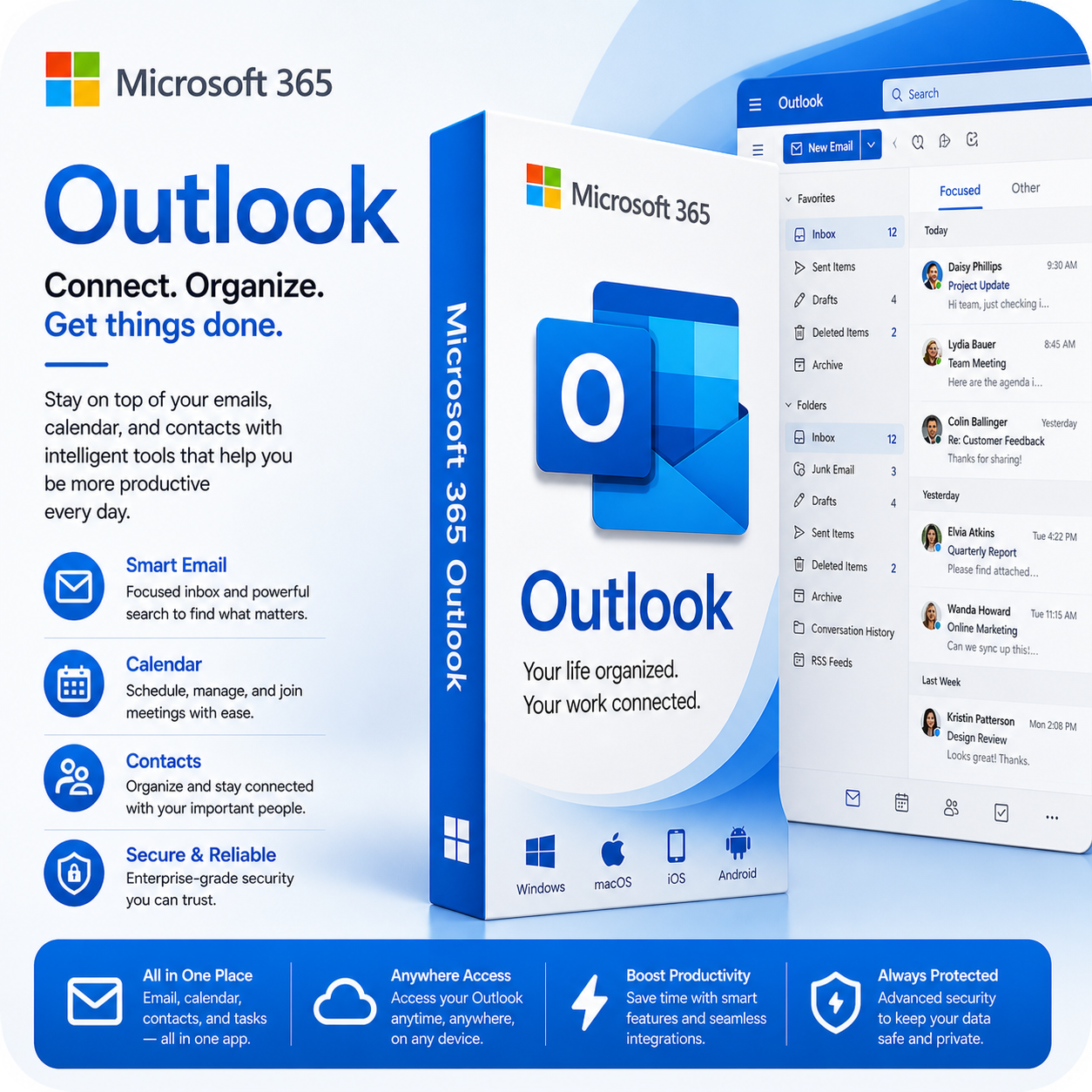
Microsoft Office 365 Outlook is a comprehensive email and personal information management application designed to enhance communication and organisation for individuals and businesses alike. As a part of the Office 365 suite, Outlook seamlessly integrates with other Microsoft applications, providing users with a unified experience for managing their email, calendars, tasks, and contacts.
Course Period: 12 months
Course Period: 12 months
Price Ex VAT
R 565.22
VAT 15%
R 84.78
Selling Price
R 650.00
Microsoft Office 365 Outlook is a comprehensive email and personal information management application designed to enhance communication and organization for individuals and businesses alike.
As a part of the Office 365 suite, Outlook seamlessly integrates with other Microsoft applications, providing users with a unified experience for managing their email, calendars, tasks, and contacts.
Key features of Outlook include a robust email client that allows users to send, receive, and organize emails efficiently. The application supports advanced email filtering and sorting options, making it easy to manage large volumes of messages.
With a powerful search function, users can quickly locate emails, attachments, and other important information.
Outlook’s calendar feature enables users to schedule appointments, set reminders, and share calendars with colleagues, promoting effective time management and collaboration.
Users can also create and assign tasks, track deadlines, and integrate these tasks with their calendar for a comprehensive view of their commitments.
Collaboration is further enhanced through features like shared mailboxes and group calendars, allowing teams to coordinate schedules and communicate more effectively.
The application supports real-time collaboration on documents and meetings through Microsoft Teams integration, ensuring that users can work together seamlessly.
Security is a top priority in Outlook, with built-in protection against phishing, spam, and malware. Users can also take advantage of advanced encryption and compliance tools to safeguard sensitive information.
Accessible from any device with an internet connection, Outlook offers a consistent experience across desktops, tablets, and smartphones. Whether for personal use, small businesses, or large enterprises,
Microsoft Office 365 Outlook is an essential tool for effective communication and organization, streamlining workflows and enhancing productivity.
Terms & Conditions
Terms & Conditions:
1. Digital Products
All digital products purchased from iR Worx are supplied electronically.
Due to the nature of digital products, refunds may not be provided once access or download has been supplied.
2. Product Usage
Products are supplied for personal or authorised business use only.
Products may not be copied, resold, distributed or reproduced without written permission from iR Worx.
3. Training Material
Training courses and resources are designed for skills development and knowledge improvement.
Completion does not guarantee employment, certification or specific business outcomes.
4. Payment
Payment must be completed before access to products or downloads is provided.
5. Support
iR Worx provides reasonable support relating to product access and usage.
Disclaimer
Disclaimer:
iR Worx provides digital products, training material and software solutions for educational and professional development purposes.
While every effort is made to ensure accuracy and quality, iR Worx does not guarantee that information provided will meet every individual or organisation requirement.
Users remain responsible for applying information appropriately within their own workplace environment.